GPS Photo Proof for Pest Control Technicians
The tenant in 4B rings the office and says nobody came. You were there Thursday morning. You have a photo of a baited kitchen cabinet — which looks exactly like every other kitchen cabinet in that building, on any day of any week. The route sheet says you attended. The photo says nothing.
Where proof of service falls down
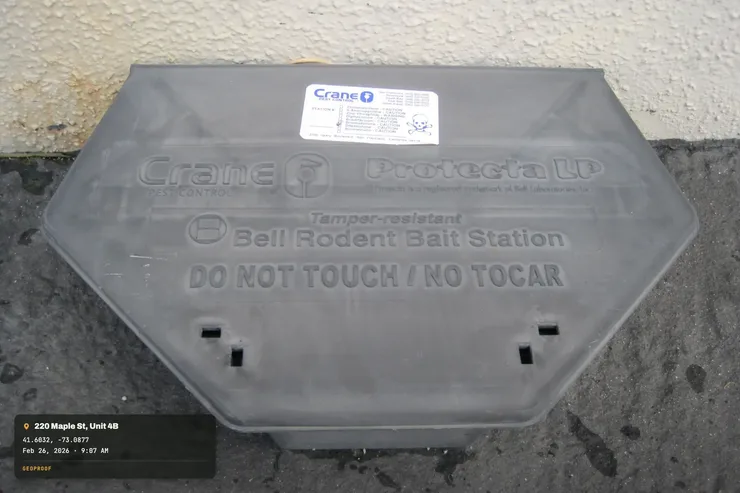
The visit that "never happened". Disputed attendance is the everyday version of this problem, and it is rarely anyone lying — a tenant was out, a note blew off the door, the property manager never passed the message on. A photo with the address and the date printed on it ends the conversation in one message instead of three phone calls.
Recurring service on the same address. This is what makes pest work different from a one-off trade. You are at the same restaurant every month for two years. All twenty-four visits produce near-identical photos of the same dry store, the same corners, the same stations. Without a date on the face of the image, the whole archive collapses into one undated blur, and last month's visit is indistinguishable from last spring's.
Bait station rounds on a commercial account. Forty exterior stations around a warehouse. The monthly log says each one was checked. Proving it means photographing each station in a way that shows it is that station, outdoors, on that date — and doing it fast enough that you still finish the route.
What ends up on the photo
Stamped as the shutter fires
- GPS coordinates and accuracy
- Street address for those coordinates
- Date and time, checked against a public time server rather than the phone's clock
- Compass heading and altitude
- Weather at the moment of capture, optional and off by default — useful on exterior work, where wind and rain decide what you could apply
- Your company logo and the job name
The stamp is part of the picture, so it survives being texted to a tenant, forwarded to a property manager, or pasted into a monthly report. Metadata would not; nearly every route those photos take strips it.
Photos also get a SHA-256 fingerprint at capture, so you can re-check later whether that exact file has changed since it was taken. That is a change check on a file, and nothing beyond it. GeoProof does not certify anything and is not a legal service.
A stop on the route
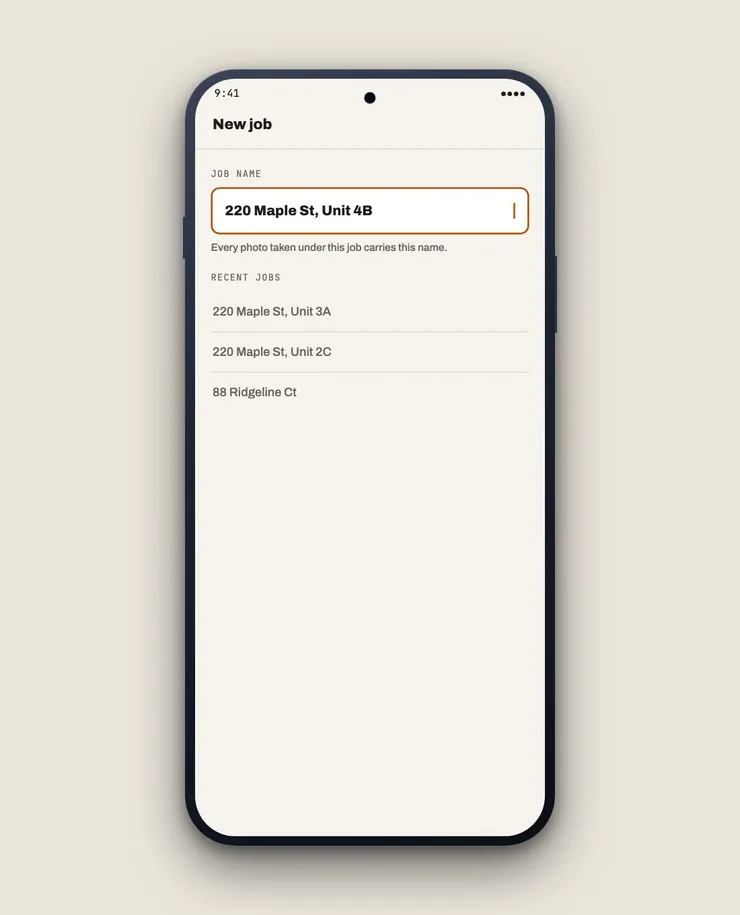
- On arrival. Set the job name to the account and the unit — "Maple Court 4B", not just "Maple Court". This step is the one that does the real work, for the reason in the next section.
- The door or the entry point. Photograph the unit number or the premises sign before you go in. Stamped with the address and time, that is your attendance record.
- Conditions on arrival. The activity you found — droppings, harbourage, a damaged seal, an old station chewed through. This is the shot that justifies the treatment on the invoice.
- The work itself. Product placed, stations serviced, entry points sealed. On a station round, one frame per station with the station number visible keeps the log honest without slowing you down.
- Before the next call. Export a PDF for the account, grouped by job, and send it to the property manager from the van. On monthly commercial work, that PDF is the service report.
The limit worth knowing: floors and units
GPS puts you at a building. It does not put you in a flat. A phone receiver works in metres, and 4A and 4B are not metres apart — they are a wall apart, and often a floor apart from 3B, which the altitude reading will hint at but not settle. Any app claiming to prove which unit you stood in from satellite position alone is overselling.
So the coordinates prove the building and the timestamp proves the visit; the unit comes from the job name you set on arrival and the photo of the door number. That combination is honest and it holds up in a conversation with a property manager. The satellite position on its own does not.
Signal is a separate matter. GPS needs no mobile data, so coordinates and time land immediately in a basement service riser or a rural farm building. The street address does need a connection, so out of coverage you get the coordinates first and the address fills in once the phone reconnects.
Customer premises stay private
No account, no cloud, no upload. Photos of the inside of a tenant's kitchen do not go to a server, because there is no server. They stay on the phone until you send them somewhere.
Pricing
Free to use. One-time Pro unlock. No subscription, no per-technician billing, no ads.
Related
- All trades
- Add location to photos automatically — the phone-settings approach, and where it stops being enough
- For home inspectors — the report the buyer reads before they call you