Photo Location Checker
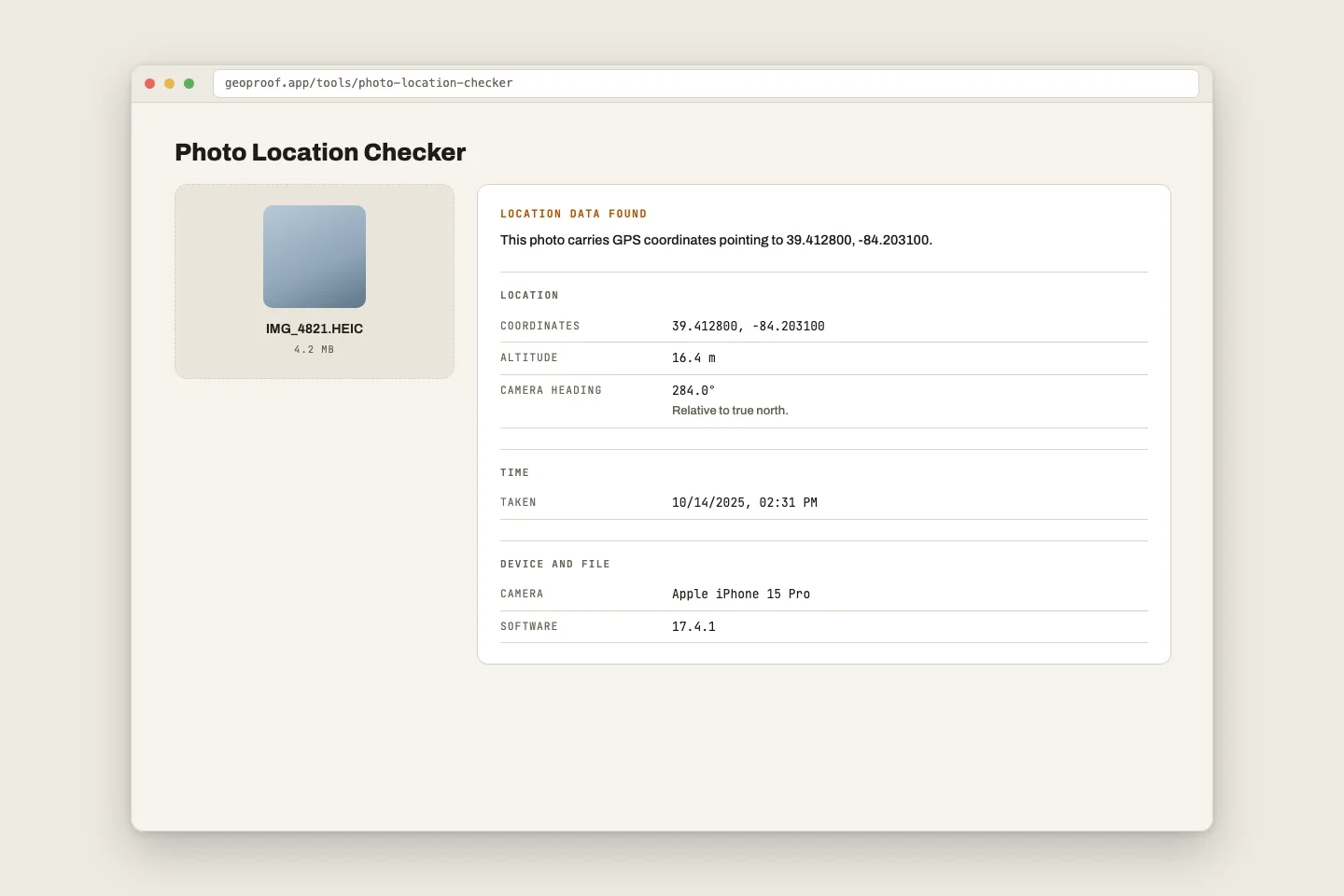
Drop a photo in and read what its metadata actually says — GPS coordinates, when it was captured, which camera took it, and which software has written to it since. The file is read inside this page. It is never uploaded.
Drop a photo here
JPEG · HEIC · PNG · WebP · TIFF · DNG
Keyboard: tab to Choose a photo and press Enter.
Your photo stays on your device. This page reads the file
with the browser's own FileReader and parses the metadata in
JavaScript running on your machine. There is no upload, no server call, and
no analytics on this page. Open your browser's Network tab and load a photo
— you will see no requests at all.
No file loaded. Results will appear here.
How this works
A photo file is two things stacked together: a block of metadata, and the pixels. This tool reads only the metadata block — the first few kilobytes of header, where the camera records settings, timestamps and, if location was switched on, coordinates. It never touches the pixels and never decodes the image.
All of that happens in your browser. When you drop a file here, the browser
hands this page a reference to it, the parser walks the header bytes, and the
result is drawn into the page. Nothing is transmitted, because there is nothing
on the other end to transmit to — this is a static site with no backend. The
page also ships a connect-src 'none' content-security policy, which
means your browser will refuse to let this page make a network request even if
its code tried to.
What each field means
GPS coordinates
Latitude and longitude, written by the phone or camera at the moment of capture, taken from whatever position fix the device had. Many cameras also record altitude, compass heading and a positional error estimate. A photo has coordinates only if location services were switched on for the camera at the time — this is off by default on a good number of devices.
Date and time taken
Usually stored as DateTimeOriginal, and usually written with no
time zone attached — so "14:32" means 14:32 on the device's clock, which may or
may not have been set correctly and may or may not have been in the time zone
you assume. Newer phones add an offset field; older files simply do not have
one.
File modified date
This comes from your file system, not from the photo. It records when this copy of the file was last written to disk. If you downloaded the file, it is the time you downloaded it. A gap between the capture time and the modified time is completely normal and tells you very little on its own.
Camera make and model
The manufacturer and model string the device wrote into the header. Handy for confirming a file plausibly came from the device someone says it came from — though these are plain text fields and can be typed in by anyone with a metadata editor.
Software
The Software field names the last program that wrote the file.
On a phone photo it is normally just the OS build. If it names an editor, that
means the file passed through that editor — which covers cropping, colour
correction, exporting, resizing and a hundred other harmless operations. Its
presence is not a red flag. Its absence is not a clean bill of health either;
plenty of tools do not write it at all.
Why metadata is weak evidence
People reach for EXIF hoping it will settle an argument about where and when a photo was taken. It rarely can. It is worth being precise about why, because the failure modes cut in both directions.
It is trivially editable
EXIF is a plain, documented, unsigned block of bytes near the front of the file. There is no signature, no checksum, and nothing tying it to the pixels that follow. Free tools — including ones marketed as "geotag your photos" — will write any coordinates and any timestamp you like into a file in one click. A location field says what someone put there. Where that lines up with other things you know, it is useful. On its own it is not.
It gets stripped constantly, by accident
WhatsApp, iMessage, Signal, Telegram, Instagram, Facebook, Slack and Discord all strip or rewrite metadata on upload, usually including location, and usually without telling you. So do most CMSes, most "compress this image" tools, and plenty of email clients. By the time a photo has been forwarded twice, its metadata is generally gone. A screenshot of a photo has none of the original's metadata either — it is a new file, made by your own device, at the moment you took the screenshot.
Absence proves nothing
Given the above, an empty metadata block is the normal state of a photo that has travelled anywhere. It is the expected result, not a finding. Reading "no location data" as evasive is one of the most common mistakes people make with this kind of tool. A photo with no GPS is overwhelmingly likely to be a photo taken with geotagging off, or one that went through a chat app.
Presence does not carry much further
Coordinates a phone wrote honestly are real, useful information. The trouble is that a file gives you no way to tell those apart from coordinates typed in afterwards — both look identical once written. What metadata can support is a consistency check: do the coordinates, the timestamp, the camera model and the software field agree with each other and with what you were told? Disagreement is worth a question. Agreement is not confirmation.
What it is good for
Sorting your own photo library. Recovering the date of a shot you forgot. Checking whether you are about to share a photo of your home with your home's coordinates attached — which is the single most practical use of a tool like this one. Treat it as an aid to memory and to privacy hygiene, not as an adjudicator.
If you need the location to survive sharing
GeoProof takes a different route: it draws the coordinates, the street address and the time into the pixels themselves at the moment of capture, so they are part of the picture rather than a header a chat app can quietly drop. That survives forwarding, re-encoding and screenshots, and it is readable by anyone who opens the photo — no tool required.